AHA Stack を試したい(7)
 kenp
kenpAlpine.jsのサンプルコードと組み合わせてみます。
以前試した、コンテンツの表示・非表示を切り替えるコードの中に、Increment, Decrementを入れてみます。
---
import fs from 'node:fs'

try {
  fs.accessSync('/tmp/count.txt')
} catch {
  fs.writeFileSync('/tmp/count.txt', '0')
}

const count = fs.readFileSync('/tmp/count.txt', 'utf-8')
---

<html lang='en'>
  <head>
    <meta charset='utf-8' />
    <link rel='icon' type='image/svg+xml' href='/favicon.svg' />
    <meta name='viewport' content='width=device-width' />
    <meta name='generator' content='{Astro.generator}' />
    <title>Astro</title>

    <script src="https://unpkg.com/htmx.org@1"></script>
  </head>
  <body>
  <h1>
    Count: <span id='count'>{count}</span>
  </h1>


    <div x-data="{ expanded: false }">
        <button @click="expanded = ! expanded">Toggle Content</button>

        <div id="foo" x-show="expanded" x-collapse>

            <button hx-post='/api/increment' hx-target='#count'>
                Increment
            </button>
            <button hx-post='/api/decrement' hx-target='#count'>
                Decrement
            </button>
        </div>
    </div>
  </body>
</html>
ブラウザで確認。

「Toggle Content」をクリックすると
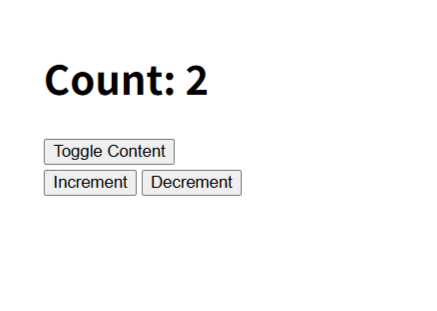
非表示状態のコンテンツが表示され、無事動いているように見えます。
ただし、コンソールログを確認するとWarningが出ています。
Alpine Warning: You can't use [x-collapse] without first installing the "Collapse" plugin here: https://alpinejs.dev/plugins/collapse 確認したころ、Collapseプラグインをインストールしないといけないようです。
ということで、下記追加コード。
このコードは良く見たら、以前Alpine.jsのサンプルコードを試した時にコメントアウトした1行でした。
ということは、前回もWarningが出ていたはずですが、見逃したようです。
無くても良いなら不要な気が。。
<script defer src="https://cdn.jsdelivr.net/npm/@alpinejs/collapse@3.x.x/dist/cdn.min.js"></script>\ 最新情報をチェック /